


Live Wallpapers HD 4K
4.35.12K Reviews
App Specs
- Version
- 4.4.3
- Updated On
- License
- Free
- Downloads
- 10,000,000+
- Developer
- Wallpaper app
- Categories
- Personalization
- Platform
- Android, iOS
Screenshots
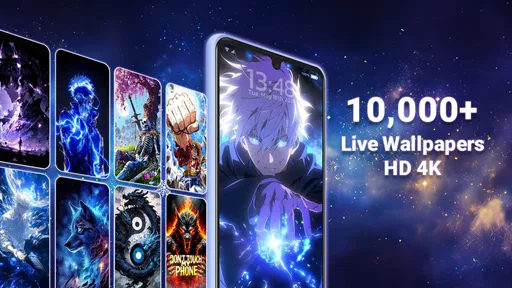
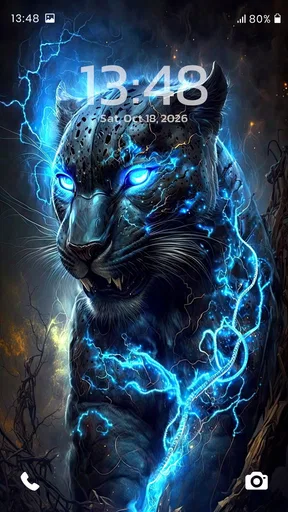
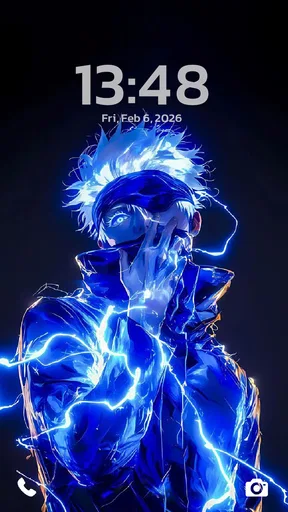
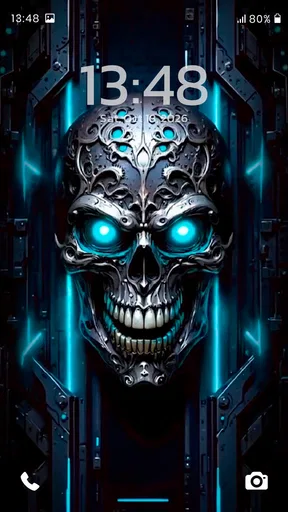
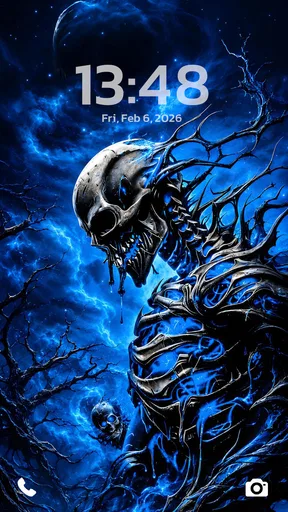
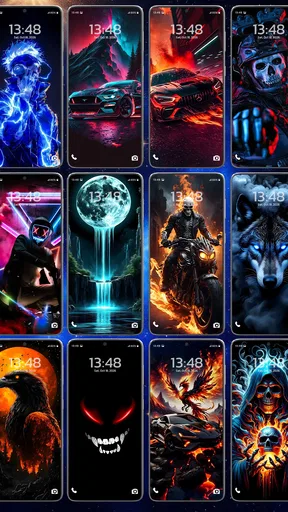
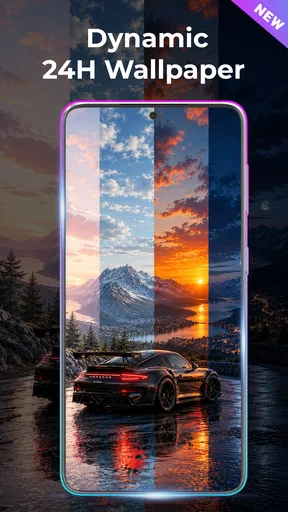
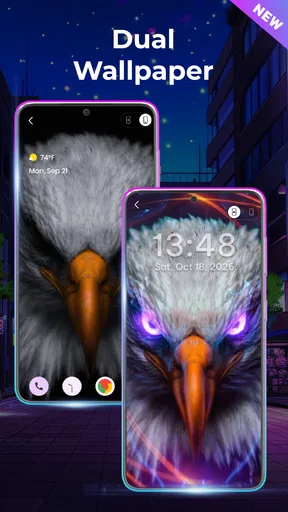
 Analysis by AppCompare
I tend to notice my wallpaper most when I unlock my phone in a hurry: a busy image can make the screen feel cluttered, while a good one adds personality without getting in the way. Live Wallpapers HD 4K is aimed at people who want that extra movement and visual detail rather than a plain still background. My main advice is to treat it as a way to refresh the look of your device, then judge each live wallpaper on how it feels in daily use, not just how dramatic it looks in a preview.
What to expect when browsing and applying wallpapers
The first practical question is whether the app is easy to use if you only want a new background quickly. Its interface is presented as straightforward, and that matters in a personalization app: I want to browse, compare a few options and make a choice without having to learn a complicated editing workflow. The app is free to download, though it includes in-app purchases, so I would check what is available at no charge before settling on a particular look or assuming every item is included.
Live wallpapers also need a little more thought than ordinary images. A still picture is a one-time choice; an animated background becomes part of the screen experience whenever you interact with the device. I would preview a candidate in the context where I use my phone most, paying attention to whether movement competes with icons, widgets or readable text. A detailed scene can look impressive full-screen but feel too busy once app icons are layered over it.
For an everyday example, imagine changing your wallpaper before a week of travel. A calm landscape may make the home screen feel less hectic when you check directions and messages between stops, while a bright animated scene might be more fun but harder to glance at quickly. I would keep a simple alternative ready and switch back if the motion becomes distracting. That small choice is more useful than picking the most elaborate preview by default.
How it differs from a static background
Compared with choosing a photo from your gallery, this app is more about browsing a dedicated collection and using movement to change the feel of the screen. That is appealing when you want a quick visual refresh and do not already have a particular image in mind. A gallery photo is often the better option if you want a personal snapshot, predictable simplicity or a background you already know will sit well behind your icons. The live-wallpaper approach makes more sense when visual atmosphere is the point.
The same distinction applies to other personalization tools. Some focus on building a highly coordinated theme; a wallpaper app is a narrower choice if all you want to alter is the background. I would not choose this one expecting a complete redesign of the phone’s interface. Its appeal is the visual layer itself, and keeping that scope clear makes it easier to decide whether it suits your habits.
Making a live wallpaper work for your routine
A useful tip is to consider your home screen before choosing an image. If you keep many shortcuts or widgets there, a quiet composition may be more practical than a high-contrast scene filled with detail. If your screen is relatively uncluttered, you have more room to enjoy a bolder design. This is a small but meaningful trade-off: the wallpaper should look good on its own and remain comfortable behind the things you actually need to tap.
Worth Reading Before You Choose

Flipboard Shows What News Apps Must Do Beyond the Feed

Switching to Android Auto Means Rethinking Your Driving Routine

Google Calendar Makes a Crowded Week Easier to Manage

Ludo King Makes the Most of the Minutes Between Plans

Baby Panda World Brings Quick Play to Modern Phones, but Its Game Library Feels Busy

ESPN’s Live Game View Makes Following Close Games Easier
Automatic wallpaper changes can keep the phone from feeling stale, but they also reduce the control you have over what appears at a particular moment. I would use that option if variety matters more than keeping one carefully composed screen. If I needed a consistent background for work, travel, or quick recognition, I would choose a favorite manually instead. Either approach is easy to understand; the better one depends on whether I value surprise or predictability more.
Who is likely to enjoy it
This app is best suited to someone who likes animated backgrounds, enjoys browsing visual styles and is willing to trade some simplicity for a more lively screen. It can also work well if you change your mood or setup often and want a dedicated place to look for another background. If you mainly want a personal photo, a plain static image, or the lowest possible visual activity, your phone’s built-in wallpaper picker may be all you need.
I would also be cautious about choosing a very animated design for a device that already feels sluggish or has limited free storage. That is not a claim that every live wallpaper will cause trouble; it is a sensible way to test any moving background. Try one, use the phone as usual, and switch to a static image if scrolling, unlocking or everyday tasks feel less comfortable. The wallpaper should improve the experience, not become another thing you have to manage.
Get Ready for Stunning Visuals
When I first opened the app, I was blown away by the sheer variety of wallpapers available. From mesmerizing landscapes to sleek abstract designs, Live Wallpapers HD 4K has something for everyone. The app’s interface is super straightforward, making it a breeze to navigate through the extensive library.
The quality of the wallpapers is top-notch. We're talking 4K resolution, which means every little detail pops on the screen. I noticed that even the tiniest elements, like the ripples in a water scene or the stars in a night sky, are crystal clear. It's like having a tiny window to another world right in your pocket!
Customization at Your Fingertips
One of the coolest features is the ability to customize wallpapers to suit your mood or style. Feel like a serene beach today, or maybe something more vibrant and dynamic? With just a few taps, you can switch it up. There's even an option to have your wallpaper change automatically, keeping things fresh without any effort on your part.
And if you're worried about battery life, don't sweat it. The app is optimized to ensure your device doesn't get drained while you enjoy those stunning visuals. Pretty awesome, right?
Speed, stability and careful expectations
My experience with a live-wallpaper catalog begins with browsing and setup: if the app is easy to navigate, it is simpler to compare choices without turning a small customization into a chore. I would still separate the time spent inside the app from the wallpaper’s behavior after it is applied. A quick browse does not guarantee that every animated background will feel equally light on every phone, so I treat the first selection as a practical trial rather than a permanent decision.
For a fair test, I would apply one wallpaper and use the phone normally for a while: unlock it repeatedly, move between the home screen and apps, and check whether the animation remains pleasant rather than distracting. If the screen feels less responsive, or the background draws attention when I need to read icons, I would switch to a calmer option. That is a more useful test than judging only from the full-screen preview.
Heavy-use moments and recovery
Animated visuals are most noticeable during frequent short checks—when I open the phone to read a message, glance at a calendar widget or tap a navigation app. A wallpaper that feels delightful during a long browse can become tiring when it is repeatedly in view. I would match the motion to the way I use the device: subtle imagery for a workday with lots of quick checks, and a more expressive scene when the screen is mainly for personal use.
If the app or wallpaper does not behave as I expect, I would first try a different background, then return to a static image while deciding whether the issue is tied to one design or to the device more generally. This simple fallback matters because it lets me recover without abandoning personalization altogether. It is also why I would avoid changing several visual settings at once: one adjustment at a time makes it easier to tell what actually improved the experience.
Device fit, cost and age suitability
The app is developed by Wallpaper app and belongs to the personalization category. It has a 4.4 average from around 174 thousand ratings, with more than 10 million installs, which suggests that it has reached a broad audience without guaranteeing that every person will prefer animated backgrounds. It is free to install, and optional in-app purchases range from $0.99 to $49.99 per item. I would explore the free experience first and only pay if a specific choice feels worth it to me.
It was released on September 3, 2019, and its current version is 4.1.7; Android 8.0 is the minimum operating system listed. Its Teen content rating is another point parents may want to consider when deciding whether it is suitable for a younger user. On an older or already busy device, I would be especially selective: choose one wallpaper, see how the phone feels over ordinary use, and keep a still background as an easy fallback. That approach avoids assuming that a high-resolution animation will suit every screen or every device equally well.
Where this app fits among alternatives
Against a built-in wallpaper picker, this app’s strength is having a dedicated place to explore live designs and change the screen’s mood. The built-in option is still a sensible choice for someone who wants a personal image, fewer decisions or a background that stays still. Compared with a full theme-customization tool, this is the more focused route: it is for people interested in the wallpaper itself, not necessarily a coordinated overhaul of icons and other interface elements.
I would skip it if I know motion bothers me, if I need a consistently quiet screen for accessibility or concentration, or if I simply prefer a familiar photo. I would recommend giving it a try if I enjoy visual variety and am willing to test a background in real use before keeping it. The best result is not automatically the most detailed one; it is the design that remains attractive while leaving the phone comfortable to navigate.
Smooth Performance
I’ve used similar apps before, and sometimes they make my phone lag or crash. Not with Live Wallpapers HD 4K. The app runs smoothly, without any hiccups. It's like it was tailor-made for my device!
Plus, the wallpapers are surprisingly lightweight. This means they won’t take up too much storage, which is a win-win if you're like me and always running out of space.
Final Thoughts
In a world where we spend so much time on our devices, why not make that experience as enjoyable as possible? Live Wallpapers HD 4K does just that, turning your screen into a work of art. Whether you're looking to impress friends or simply want to enjoy some eye candy, this app is a must-have.
So, if you're ready to give your phone a makeover, you know where to start. Dive into Live Wallpapers HD 4K and let your screen come to life!
Pros
- High-resolution quality enhances screen appearance.
- Wide variety of dynamic themes available.
- Easy to customize for a personalized touch.
- Minimal battery consumption during usage.
- Regular updates with new wallpapers.
Cons
- Some wallpapers require in-app purchases.
- Ads can be intrusive at times.
- Limited offline functionality.
- May slow down older devices.
- Occasional crashes on certain models.
FAQs for Live Wallpapers HD 4K
What is Live Wallpapers HD 4K and how does it work?
Live Wallpapers HD 4K is an application that provides a vast collection of high-definition and 4K wallpapers that are animated and dynamic. Users can easily browse through categories, select their favorite wallpapers, and apply them to their device’s home or lock screen for a personalized and visually stunning experience.
Does Live Wallpapers HD 4K drain battery life significantly?
While live wallpapers can consume more battery than static images, Live Wallpapers HD 4K is optimized to minimize battery usage. The app employs efficient animations and pauses activity when the screen is off or during inactive periods, thus conserving battery life without compromising on visual quality.
Are there any costs or in-app purchases in Live Wallpapers HD 4K?
Live Wallpapers HD 4K offers a free version with a substantial collection of wallpapers. However, there are optional in-app purchases to unlock premium content, remove ads, and access exclusive designs. These purchases enhance the user experience by providing more options and ad-free browsing.
How often is new content added to Live Wallpapers HD 4K?
The developers regularly update Live Wallpapers HD 4K with new wallpapers to keep the content fresh and engaging. Users can expect frequent additions of trending designs, seasonal themes, and user-requested creations, ensuring that there is always something new to explore and apply.
Is Live Wallpapers HD 4K compatible with all Android and iOS devices?
Live Wallpapers HD 4K is designed to be compatible with a wide range of Android and iOS devices. However, performance may vary depending on the device's specifications. Users should ensure their device meets the app’s requirements for the best experience, especially for smooth animation quality.


